Overview
The document review checklist serves as the framework for which documents your agents should upload when performing transaction management. In this article, we'll show you how to create document items and categorize them based on your brokerage's specific needs.
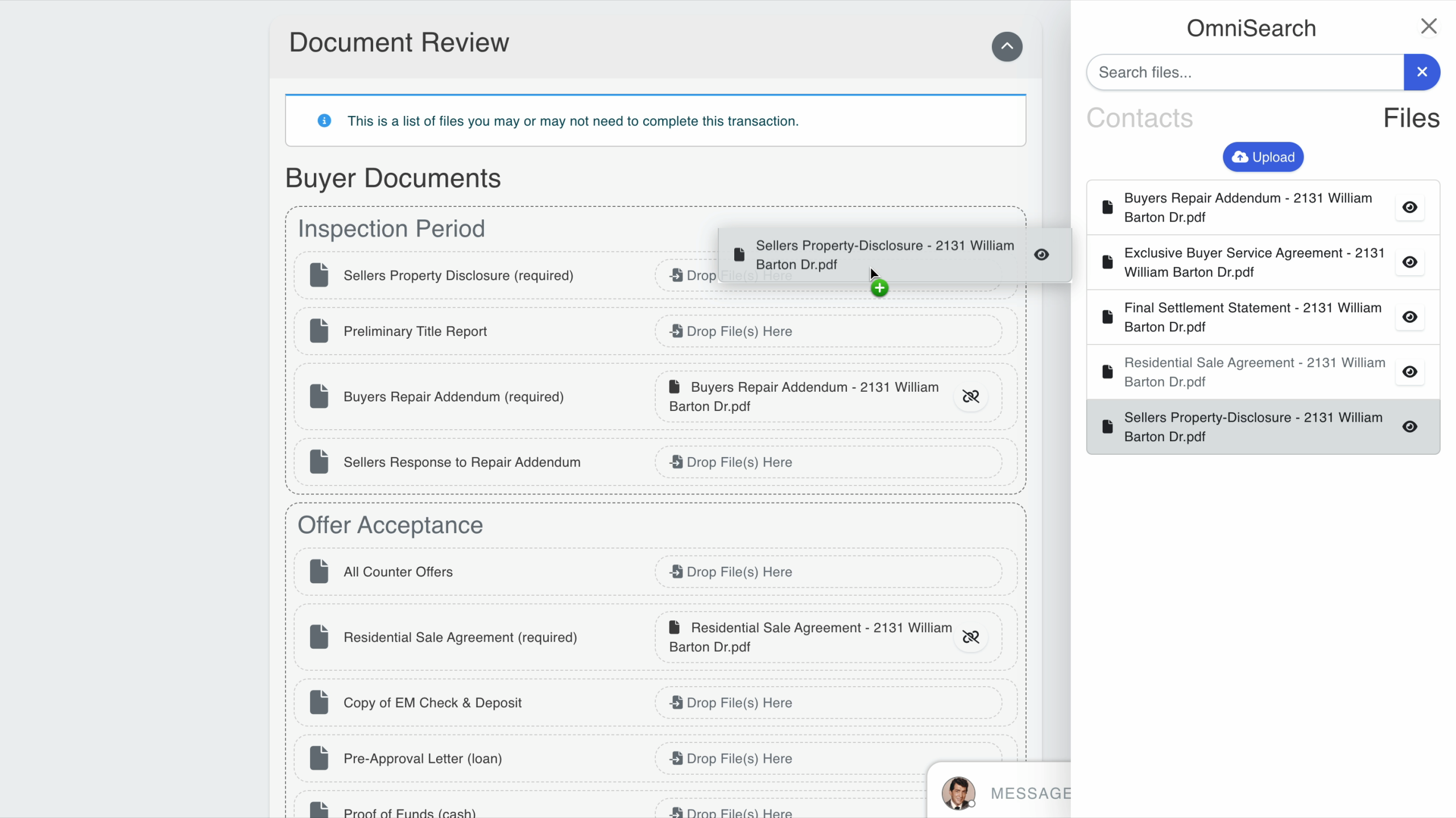
When an agent creates a transaction, these document review checklists will either auto-populate or can be added manually in the document review section of a transaction. At that point, they can upload their transaction documents, and submit them for review by their transaction coordinator or brokerage owner.
To learn more about the document review process, please visit our support articles How to Create a Sale Transaction in BrokerageBox, How to Create a Listing Transaction in BrokerageBox, and What do the Dot Indicators Mean in a Transaction.
Go to Document Review Checklist
From the brokerage owner's dashboard, go to Admin > Doc Review Checklist. Here, you'll find the checklists that you created during initial account set up. You can edit an existing checklist, delete a checklist, or create a new checklist.

Add or Edit Document Review Checklist
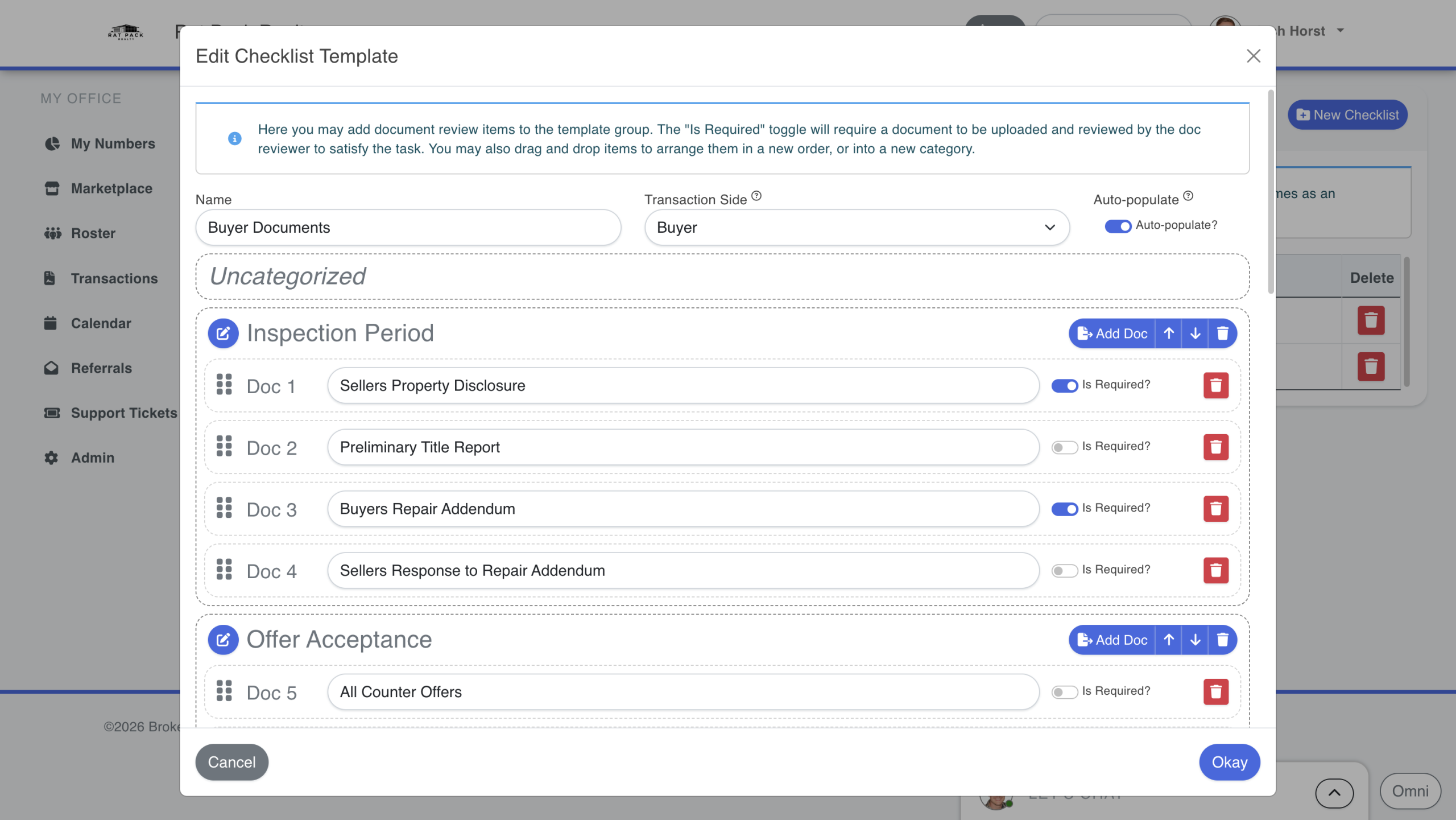
For this support article, we will edit the default Buyers Documents checklist, but you can add a new checklist template by clicking the New Checklist button in the upper right hand corner of the page.
In the Transaction Side drop-down menu, select Buyer to associate this checklist with a sale or tenant transaction, or Seller to associate it to a listing or landlord transaction. Selecting Auto-populate will automatically populate this checklist template into the appropriate side of the transaction.
You can also create new categories by clicking the Add Category button at the bottom of the pop-up window, or add new document items by clicking the Add Doc button within each category. The categories can help you organize document items by stages within the transaction deal flow.
For each document item, you can make it required by selecting Is Required. This will prevent an agent from submitting a transaction for document review if they do not upload a document in that particular document item section.
Agents Upload Documents to Document Review Checklist
When an agent creates a transaction, they can upload the appropriate documents to each document item section. If Auto-populate was enabled by the brokerage owner, then the document review checklist will automatically appear for that particular side of the transaction. Agents or transaction coordinators can then easily drag-and-drop the documents using the OmniSearch tool.