Overview
Commission disbursement authorizations, or CDAs, can be enabled within the BrokerageBox web application. A CDA is a document sent to the title or escrow company detailing how commissions are split and paid at closing. A CDA is used if the title company sends commission payments directly to the agent rather than first being collected from the brokerage.
Enable Commission Disbursement Authorization (CDA)
From the brokerage owners platform, go to the Admin section, Platform Settings, then click "Use CDA Form".
Edit Commission Disbursement Authorization (CDA) Instructions
Brokerage Instructions
From the brokerage owners platform, go to the Admin section, My Offices, then scroll down to the section Commission Payment Info. Here, you can select the payment type to check or ACH/Wire.
For the check option, add your business name for the check to be written out to. For the ACH/wire option, you will input your business name, bank name, account number, and routing number.
Agent Instructions
From the agents platform, go to My Profile under your profile icon, then scroll down to the section Commission Payment Preference. Here, you can select the payment type to check or ACH/Wire.
For the check option, add your name and address for the check to be written out to. For the ACH/wire option, you will input your name, bank name, account number, and routing number.
Go to Generate & View Documents Section Within a Transaction
To view or download the CDA Form, go inside a transaction, then scroll down to the section named Generate & View Documents. Click View to open a window, where you will have the option to download the document.
Note that enabling the CDA Form will disable your Escrow Instructions document. The Escrow Instructions document is used for brokerages that collect the entirety of the commission payment, to be split and disbursed with the agent at a later time.

View Commission Disbursement Authorization (CDA) Form
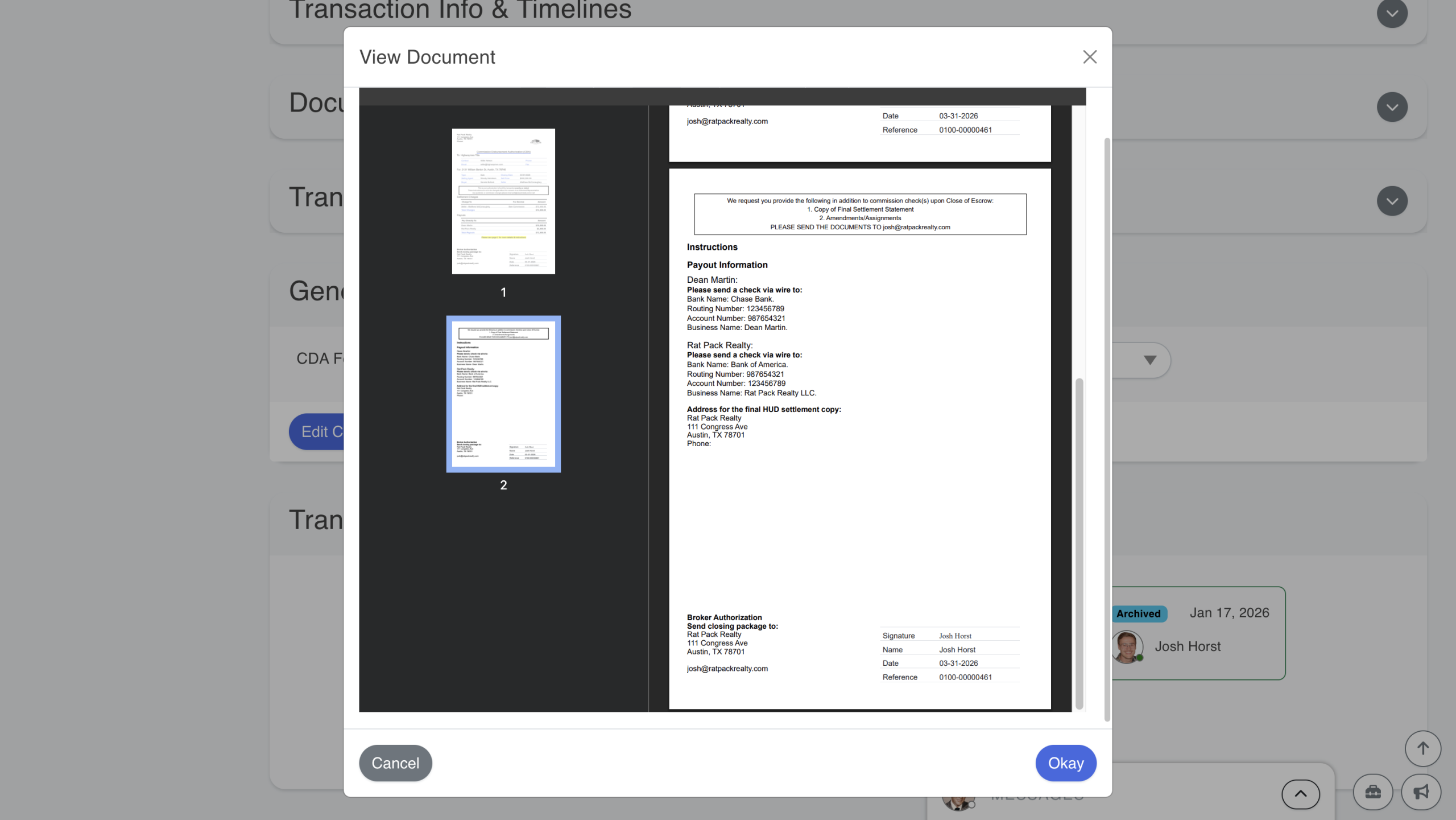
The commission disbursement authorization (CDA) form provides instructions to the title company for splitting and sending the commission payment to the brokerage and agent. The form also contains information about the transaction.

Scroll to the second page of the document to review the commission disbursement authorization (CDA) forms instructions to the title company.
Send CDA Form to Title Company
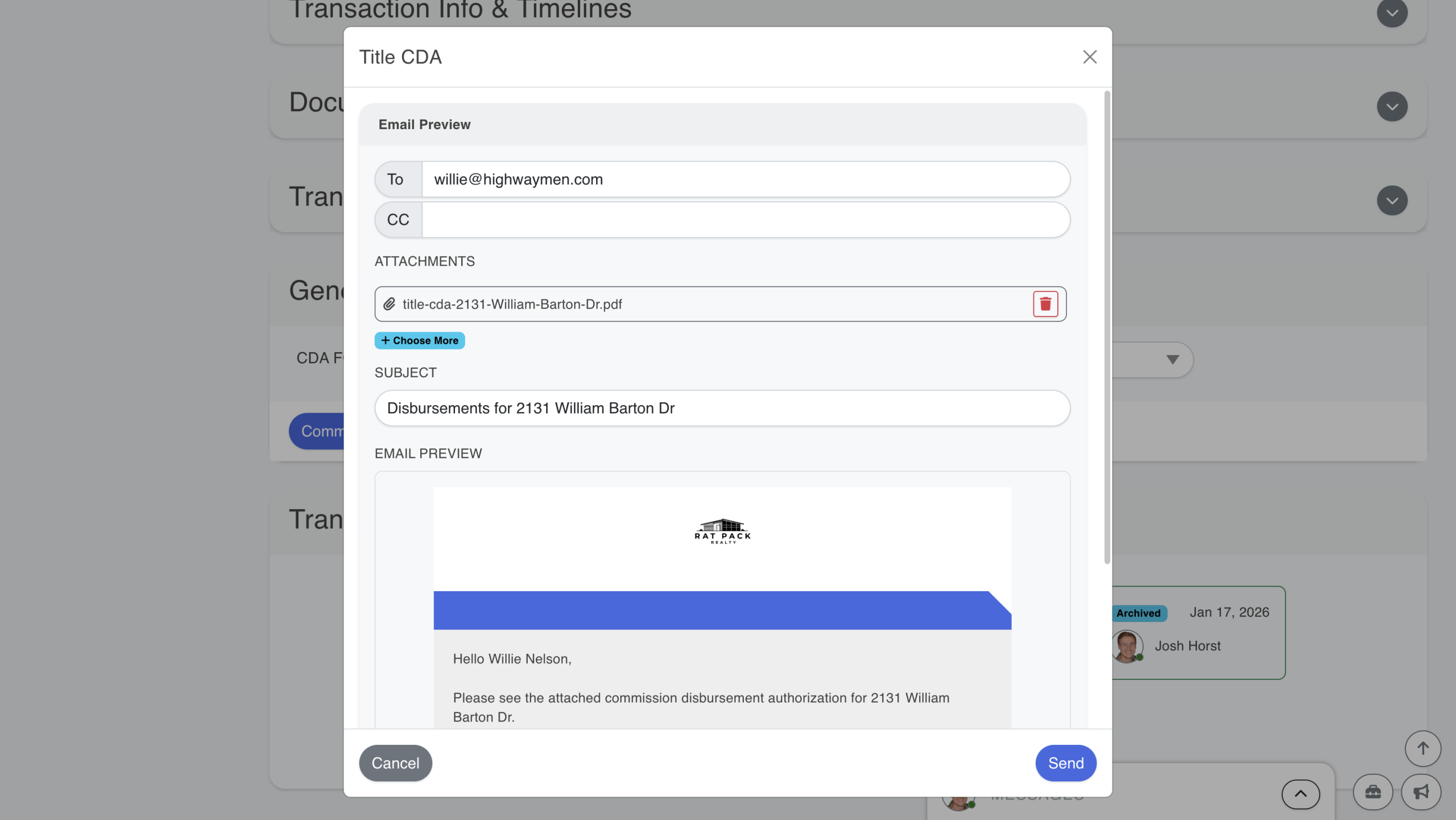
You can send the commission disbursement authorization (CDA) form to the title company directly from the BrokerageBox app. Additionally, you can edit the recipients and the subject line. A preview of the email can be seen below.